August 15, 2026
Best AI Music Video Generator List: 9 Tools Compared by Workflow
A practical best AI music video generator list for artists, labels, creators, and marketers. Compare audio-reactive visuals, lyric videos, narrative scenes, and short-form workflows.

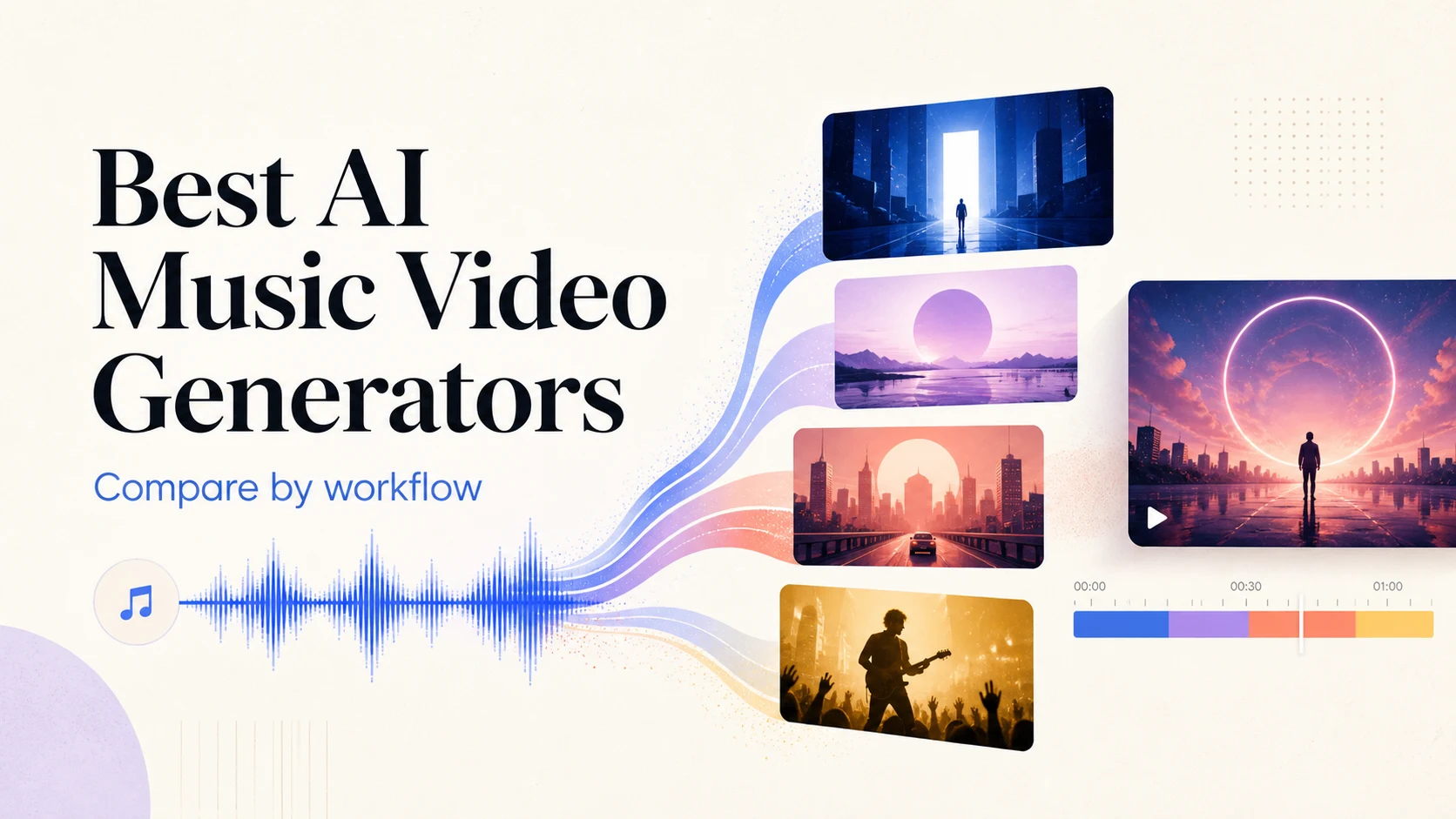
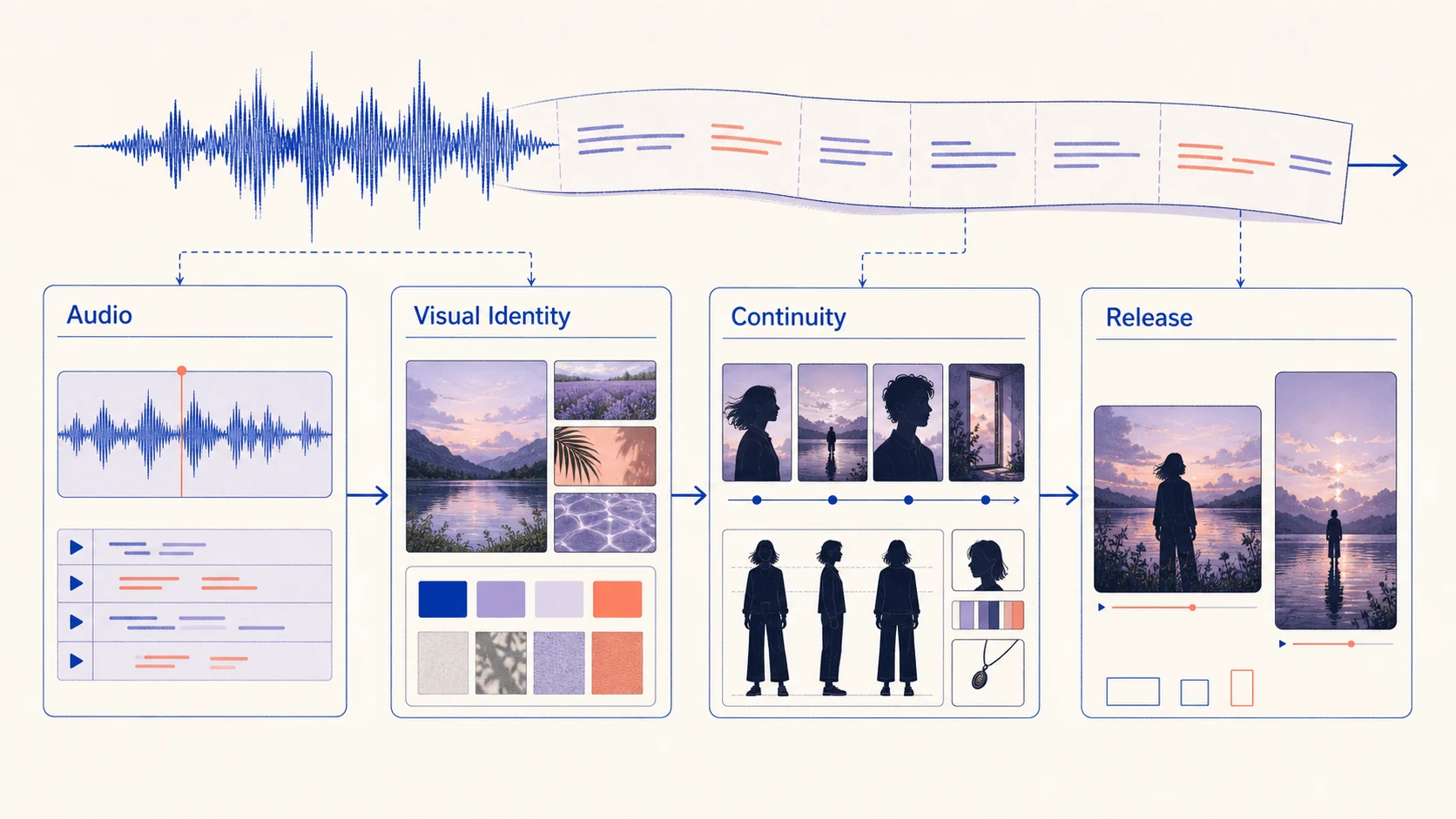
The best AI music video generator is not simply the tool with the most impressive demo. It is the tool that can turn a song into visuals that stay on beat, preserve an artist's identity, and survive the revisions needed for a real release. For a general shot workflow, start with the AI video generator, then apply the music-specific checks below.
This best AI music video generator list compares nine tools by workflow, from audio-reactive visuals and lyric videos to narrative scenes and short-form assets. It is a decision guide, not a universal benchmark, so test your own track before paying.
How to Choose an AI Music Video Generator
Music video generation adds a constraint that ordinary text-to-video comparisons often miss: the picture has to serve the song. A beautiful shot that ignores the chorus, changes the lead character, or cannot be extended may be less useful than a simpler, repeatable visual system.
Compare tools by these criteria:
- Audio relationship: Can it respond to beats, stems, lyrics, tempo, or song sections?
- Visual direction: Can you control references, characters, palette, camera, and recurring motifs?
- Song length: Is it suited to a teaser, lyric video, full-length track, or clip series?
- Performance and lyrics: Does the workflow support singer shots, captions, or lip-sync moments?
- Revision control: Can you replace scenes, extend shots, and create alternate aspect ratios?
- Release fit: Does the output work for YouTube, TikTok, Reels, Shorts, or review?
- Rights and cost visibility: Are the inputs usable, and are model, credit, and output terms clear?
The Best AI Music Video Generators at a Glance
Choose based on audio relationship and the amount of shot control you need.
| Tool | Best for | Main strength | Watch-out |
|---|---|---|---|
| BizMuse AI | Music-first concept and scene workflows | Connects song direction, lyrics, moods, references, model choice, and credit review | Treat the current model and output limits as part of your planning check |
| Neural Frames | Audio-reactive and full-length music visuals | Music-focused generation with beat, stem, lyric, and frame-level creative controls | More control can also mean more decisions during a long project |
| Rotor Videos | Fast music visualizers and release-ready templates | A music-led path for combining a track with visual treatments and effects | Template-driven workflows may need extra art direction for a distinctive identity |
| Kaiber | Stylized music visuals and creative experiments | Strong fit for transforming a visual idea into an audiovisual concept | Check current workflow, export, and commercial-use terms before publishing |
| Runway | Directed narrative shots | Broad creative video tools for building individual scenes from prompts and references | You still need an edit plan for song structure and shot continuity |
| Adobe Firefly | Adobe-centered production teams | Fits teams that want generated video ideas inside an established Adobe workflow | The overall experience depends on how much finishing happens in Premiere or After Effects |
| Luma Dream Machine | Cinematic concept shots | Useful for exploring motion, atmosphere, and image-led sequences | A strong single shot is not the same as a consistent music video |
| Pika | Short-form effects and social hooks | Fast idea-to-video treatments for teasers and visual moments | Test repeatability, timing, and export quality for a complete release |
| Kling AI | Motion-heavy visual experiments | Worth testing when movement, camera behavior, and cinematic detail matter | Review hands, faces, product details, and continuity scene by scene |
The Tools, Explained by Music Video Use Case
1. BizMuse AI: Best for a Music-First Creative Brief
Start with a music-first workspace when the song, lyrics, mood, and visual world need to be planned together. The ai music video generator workflow from BizMuse is positioned around songs, lyrics, moods, references, scene planning, model selection, credit visibility, and release-ready assets.
It is a practical starting point for teams that want to define the hook, audience, visual identity, and references before generating disconnected clips.
The bizmuse ai workflow is useful when one release needs a full concept, chorus teaser, lyric-led social clips, or alternate visuals. Editing and rights review still remain part of the process.
2. Neural Frames: Best for Audio-Reactive and Full-Length Visuals
Neural Frames is designed around music video creation rather than generic scene generation. Its current positioning includes song-to-video automation, audio-reactive visuals, lyric and lip-sync workflows, stem-based control, frame-by-frame editing, and full-length projects. Choose it when the track-picture relationship is the main requirement, but lock song sections and visual vocabulary before using its deeper controls.
3. Rotor Videos: Best for Fast Visualizers and Templates
Rotor Videos fits the goal of turning a finished track into a visualizer, music clip, or promotional asset quickly. Templates help with repeatable release work, but songs with a strong fictional world may need more controlled scenes elsewhere.
4. Kaiber: Best for Stylized Audiovisual Experiments
Kaiber is a natural candidate for artists who value visual transformation and mood over realistic continuity. Test a complete chorus for style drift and visual fatigue before using it for a long video or release campaign.
5. Runway: Best for Directed Narrative Shots
Runway is a strong general-purpose option for narrative scenes, image-to-video transitions, and cinematic shot development. Build a shot list from the verse, chorus, bridge, and outro, then generate only the shots that need model assistance and assemble them in an editor.
6. Adobe Firefly: Best for Adobe-Centered Teams
Adobe Firefly is worth considering when a team already works in Adobe tools and needs generated scenes, B-roll, or campaign visuals inside an established finishing process. Confirm the active model, account terms, source rights, and the finishing steps for lyrics, timing, color, and mastering.
7. Luma Dream Machine: Best for Cinematic Concept Shots
Luma Dream Machine can help define a music video's visual language through camera movement, atmosphere, environments, and key-frame transitions. When a still reference needs controlled motion, pair the concept with an image-to-video workflow. Test the same subject, wardrobe, and location across prompts before using it for more than selected shots.
8. Pika: Best for Short-Form Hooks and Effects
Pika is a good candidate for lyric snippets, social teasers, looping transitions, and effect-led clips where speed matters more than long-form continuity. Set a fixed duration and aspect ratio, and keep the lyric, beat, and call to action readable in the opening seconds.
9. Kling AI: Best for Motion-Heavy Shot Tests
Kling AI deserves a shortlist position when the video depends on camera movement, physical action, or transformation. Give it one subject, one action, and one camera move, then inspect hands, faces, reflections, text, costume details, and geometry.
Which Tool Fits Your Music Video Workflow?
| Your priority | Start with | Why |
|---|---|---|
| Plan song direction, lyrics, references, scenes, and model choices together | BizMuse AI | A music-first brief can reduce disconnected generations and make credit decisions earlier |
| Make audio-reactive or full-length visuals | Neural Frames | The workflow is built around music, stems, lyrics, and visual response |
| Produce a quick visualizer or social asset | Rotor Videos or Pika | Templates and short-form experiments shorten the path from track to shareable clip |
| Explore an unusual visual identity | Kaiber | Stylized transformation can help define a visual world before detailed production |
| Build controlled cinematic shots | Runway, Luma, or Kling AI | General video tools are useful when the shot list matters more than automation |
| Finish inside an Adobe production pipeline | Adobe Firefly | Generation can sit closer to an existing design and editing workflow |
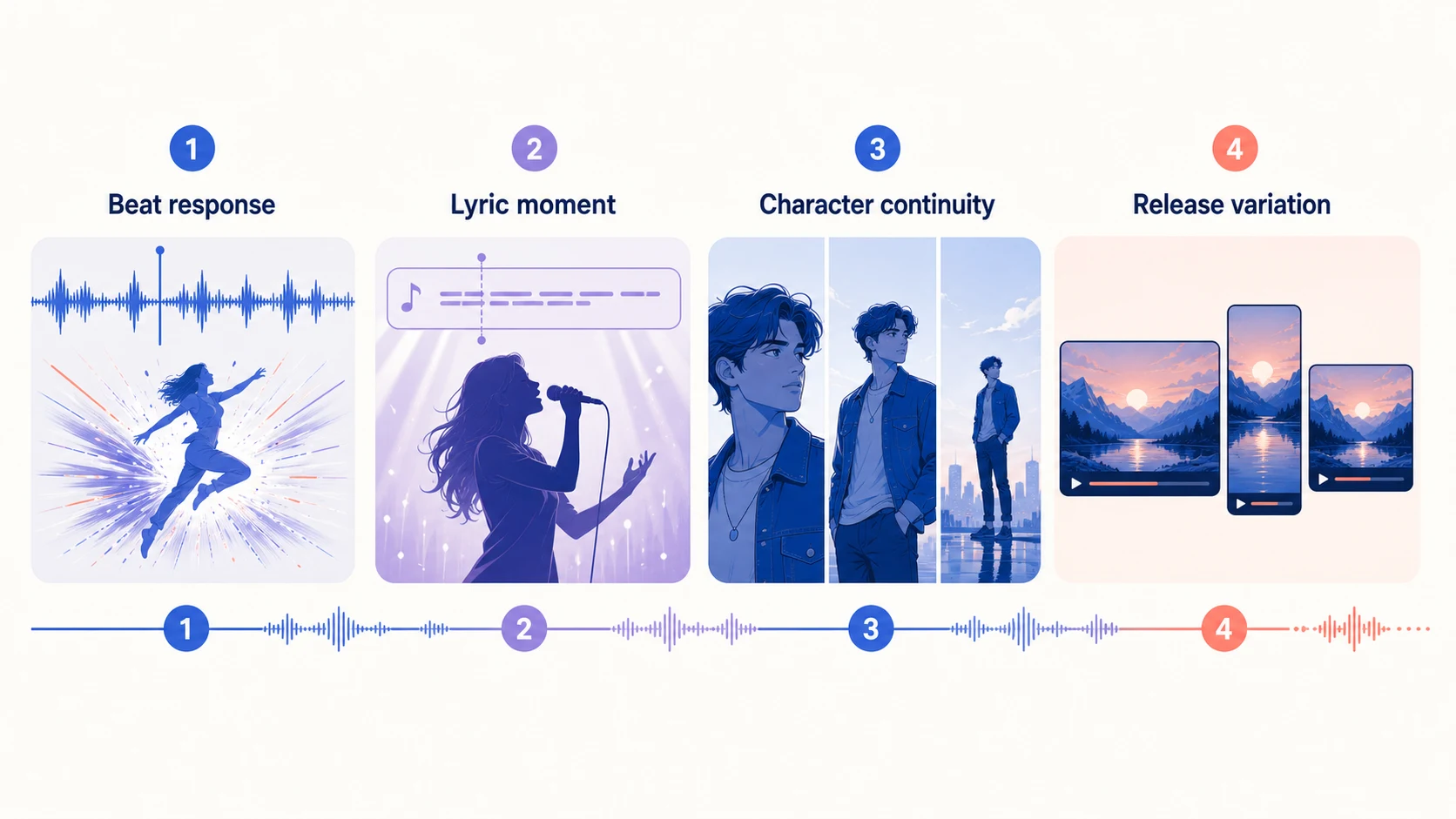
A Four-Part Test Before You Commit
Run the same test with your top three tools using the same track, lyric excerpt, reference image, aspect ratio, and acceptance criteria.
- Beat response: Create a 10 to 15 second visual that changes on a clear musical transition. Check whether the movement feels intentional or merely fast.
- Lyric moment: Generate one chorus line or vocal phrase. Check readability, caption timing, mouth movement, and whether the visual supports the words.
- Character continuity: Use the same lead subject in three shots with different camera distances. Check face, clothes, body proportions, palette, and location details.
- Release variation: Turn the strongest idea into a landscape clip, a vertical teaser, and a short loop. Check framing, safe areas, text size, and whether the hook survives cropping.
Record generations, credits spent on failed attempts, and manual editing after export. A less dramatic but editable result may be more valuable than a beautiful first draft that needs a complete rebuild.
Common Mistakes to Avoid
- Starting with visuals instead of song structure: Map the intro, verse, chorus, bridge, and outro so the visual system knows where energy changes and lyrics need space.
- Asking one prompt to make a complete video: Break long-form work into scenes and define what must remain fixed in each shot.
- Treating audio-reactive effects as the whole concept: Combine beat-synced motion with a subject, metaphor, performance moment, or narrative turn.
- Ignoring rights and release requirements: Use inputs you own or can process, and check model terms, output rights, privacy, and platform rules before publishing.
FAQ
What is the best AI music video generator overall?
There is no single best tool for every song. Start with BizMuse AI or Neural Frames for music-first work, Runway, Luma, or Kling AI for controlled cinematic shots, and Rotor Videos or Pika for fast visualizers and social clips.
Can AI generate a complete music video from one song?
Some music-focused platforms automate parts of the process, but a release-ready video still needs a shot plan, continuity checks, editing, captions, and mastering. Treat automation as a starting point, not creative direction.
Is an audio-reactive visualizer the same as an AI music video?
No. An audio-reactive visualizer responds to beats, stems, or volume. An AI music video may also include characters, scenes, lyrics, camera movement, and narrative choices. A project can combine both.
What should musicians prepare before using an AI music video tool?
Prepare the track, lyric text, song sections, visual references, artist identity notes, target aspect ratios, and intended audience. Clear inputs make comparison and revision easier.
Final Recommendation
Choose the tool that shortens the distance between your finished song and the next usable visual decision. Use BizMuse AI for a connected music brief, Neural Frames for audio-reactive or full-length visuals, Rotor Videos for visualizers, Kaiber for stylized experiments, and Runway, Luma, or Kling AI for directed shots. Adobe Firefly fits Adobe-centered teams, while Pika fits social-first hooks.
Run the four-part test with your own track. The best AI music video generator is the one that gives you a repeatable visual language, a manageable revision loop, and a final asset you can actually release.