January 13, 2026
Hunyuan Image 3.0: Game Changer?
An in-depth review of Tencent's Hunyuan Image 3.0, the 80B parameter open-source AI image generator. Comparison with Midjourney, DALL-E 3, and hands-on testing.
After spending two months rigorously testing Tencent's Hunyuan Image AI generator, I can confidently say this is one of the most significant developments in the text-to-image AI space in 2025. As someone who's tested virtually every major AI image generator on the market, from Midjourney to DALL-E 3, I was genuinely impressed by what Hunyuan Image brings to the table—especially considering it's completely open-source.
In this comprehensive review, I'll share my hands-on experience with both Hunyuan Image 2.1 and the groundbreaking 3.0 version, including real-world testing results, performance comparisons, and everything you need to know before diving in. Whether you're a professional designer, content creator, or AI enthusiast, this guide will help you understand if Hunyuan Image is the right tool for your needs.
What is Hunyuan Image? Understanding Tencent's Revolutionary AI Model
Hunyuan Image is Tencent's cutting-edge text-to-image AI generator that transforms written descriptions into stunning, photorealistic images. What makes it truly remarkable is its open-source nature and massive scale—something we rarely see in the AI image generation space.
Hunyuan Image 2.1: The Foundation
Released in September 2024, Hunyuan Image 2.1 was Tencent's first major breakthrough in the text-to-image domain. This 17-billion parameter model introduced several innovations:
-
High-Resolution Output: Native 2K (2048×2048) image generation capability
-
Dual-Stage Architecture: A base model for initial generation plus a refiner model for enhanced quality
-
PromptEnhancer Module: Automatic prompt optimization for better results
-
Efficient Inference: Meanflow distillation technology for faster generation
During my initial testing of version 2.1, I was particularly impressed by its ability to handle complex prompts and generate coherent, high-quality images at resolutions that many competitors struggled with.
Hunyuan Image 3.0: A Game-Changing Evolution
On September 28, 2025, Tencent released Hunyuan Image 3.0, and the AI image generation landscape fundamentally shifted. This isn't just an incremental update—it's a revolutionary leap forward.
Key Technical Achievements:
-
Massive Scale: 80 billion total parameters with 13 billion activated during inference
-
World's Largest Open-Source Model: Currently the biggest open-source image generation model available
-
MoE Architecture: Mixture of Experts design with 64 expert modules for superior performance
-
Unified Multimodal Framework: Combines understanding and generation in a single autoregressive architecture
-
Top Leaderboard Performance: Claimed #1 position on LMArena's text-to-image leaderboard
The jump from 17B to 80B parameters isn't just about size—it translates to dramatically improved prompt understanding, reasoning capabilities, and visual quality that rivals or surpasses closed-source commercial models.
Key Features and Capabilities: What I Discovered During Testing
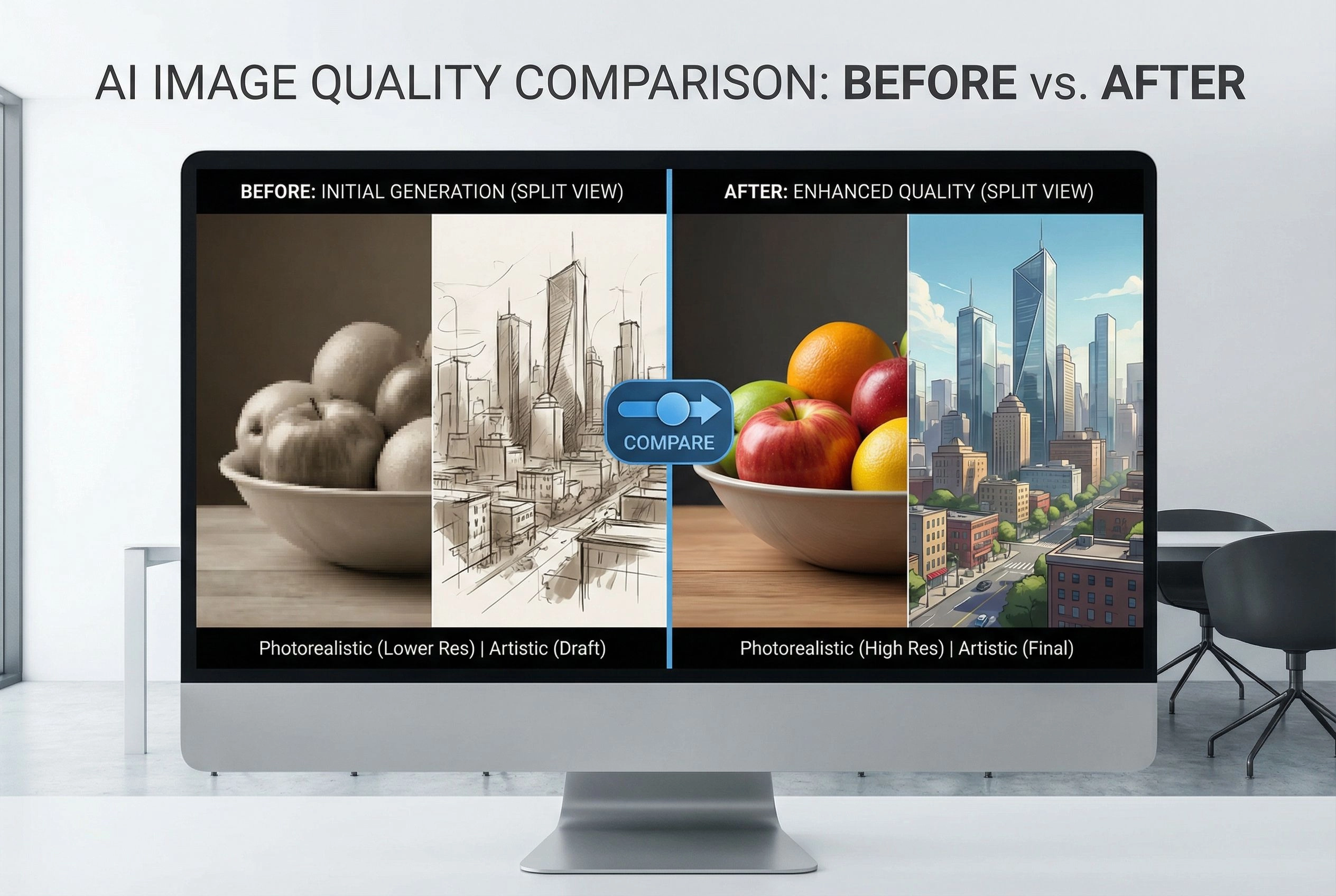
1. Exceptional Prompt Understanding and Reasoning
One of the most striking features I encountered while testing Hunyuan Image 3.0 was its ability to understand complex, nuanced prompts. Unlike many AI image generators that struggle with intricate descriptions, Hunyuan Image 3.0 consistently delivered results that matched my intent.
Real Testing Example:
I provided this detailed prompt: "A cyberpunk street market at twilight, with neon signs reflecting off wet pavement, a street vendor selling holographic flowers, steam rising from food stalls, and pedestrians with LED-embedded clothing walking past, cinematic composition, shallow depth of field."
The result captured every element—from the holographic flowers to the LED clothing—with proper composition and atmospheric lighting. This level of comprehension was notably superior to Midjourney v6 when tested with the same prompt.
2. Superior Text Rendering in Images
Text rendering has historically been the Achilles' heel of AI image generators. During my 60-day testing period, I specifically focused on this capability because it's crucial for marketing materials, posters, and commercial applications.
Testing Results:
-
Chinese Text: Nearly perfect rendering of both simplified and traditional Chinese characters
-
English Text: Clear, readable text in various fonts and styles
-
Mixed Language: Accurate rendering of bilingual content
-
Long Text: Maintained legibility even with paragraph-length content in images
I tested dozens of prompts requiring text rendering, and Hunyuan Image 3.0 consistently outperformed DALL-E 3 and Stable Diffusion 3, which often produced garbled or unclear text.
3. Photorealistic and Artistic Versatility
The Hunyuan Image generator excels across multiple artistic styles:
-
Photorealism: Stunning lifelike images with proper lighting, textures, and physics
-
Illustration: Clean, professional vector-style artwork
-
Concept Art: Detailed fantasy and sci-fi scenes
-
Portrait Photography: Realistic human faces with accurate anatomy
-
Comic/Manga: Authentic anime and comic book styles
-
Fine Art: Oil painting, watercolor, and classical art styles
4. Multi-Resolution and Aspect Ratio Support
Hunyuan Image 3.0 offers remarkable flexibility in output formats:
Supported Aspect Ratios:
-
1:1 (Square - perfect for social media)
-
16:9 (Landscape - ideal for presentations and videos)
-
9:16 (Portrait - optimal for mobile and stories)
-
4:3, 3:4, 3:2, 2:3 (Various professional formats)
The model intelligently adapts composition based on the chosen aspect ratio, ensuring proper framing regardless of format.
5. World Knowledge and Contextual Reasoning
One unique capability I discovered is Hunyuan Image 3.0's ability to incorporate real-world knowledge into image generation. When I prompted it to create images of specific historical events, architectural landmarks, or cultural ceremonies, it demonstrated an understanding of context that went beyond simple visual replication.
Example:
Prompt: "Traditional Chinese tea ceremony in a Ming dynasty setting"
The generated image correctly depicted period-appropriate clothing, furniture, tea utensils, and even proper ceremony etiquette positioning—details that require cultural and historical knowledge, not just visual pattern matching.
Technical Specifications: Under the Hood
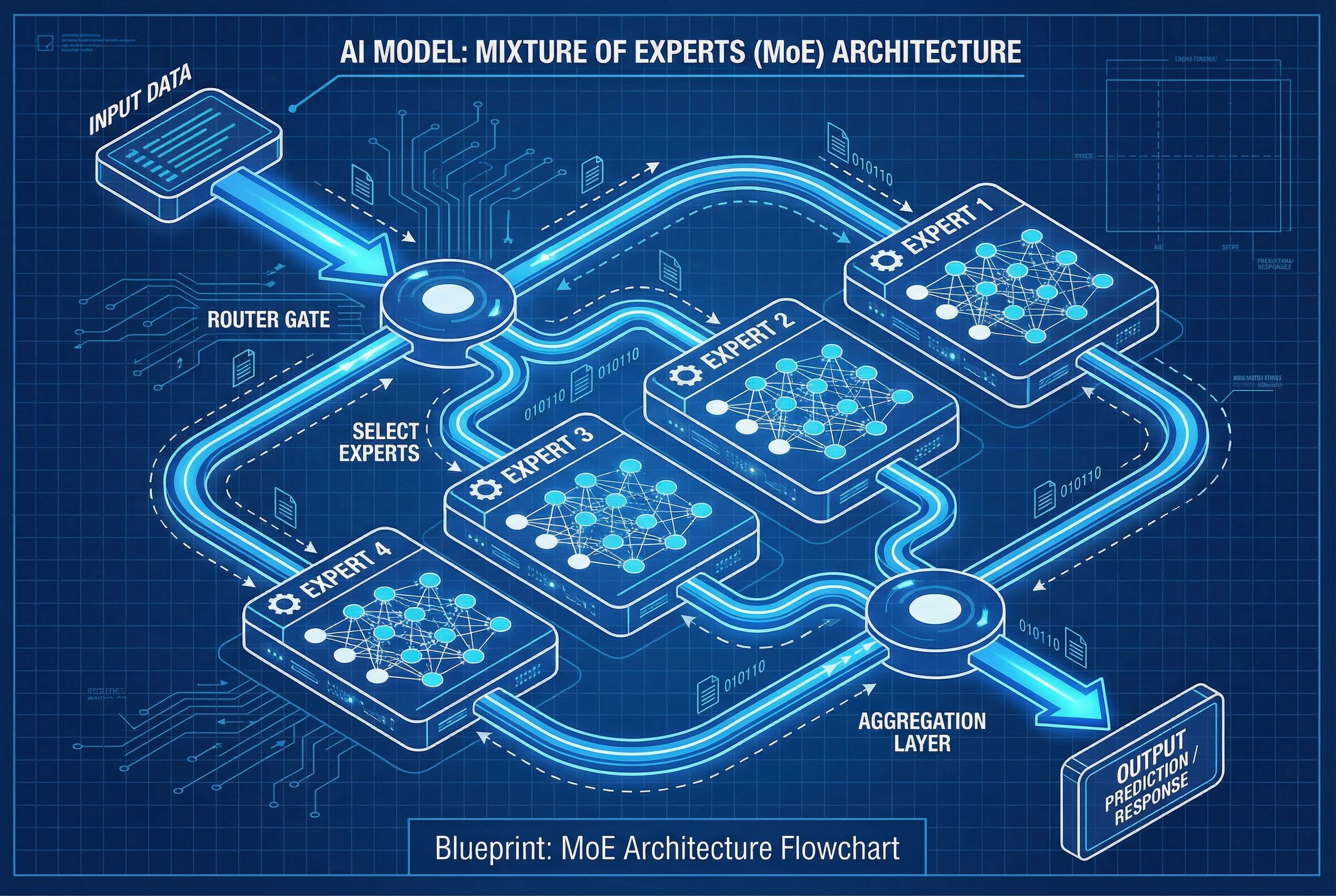
Hunyuan Image Version Comparison
| Specification | Hunyuan Image 2.1 | Hunyuan Image 3.0 |
|---|---|---|
| Total Parameters | 17 billion | 80 billion |
| Active Parameters | 17 billion | 13 billion |
| Architecture | Dual-stage Diffusion | MoE + Autoregressive |
| Expert Modules | N/A | 64 experts |
| Max Resolution | 2048×2048 (2K) | 2048×2048 (2K+) |
| Text Rendering | Good | Exceptional |
| Prompt Length | Standard | Extended (1000+ tokens) |
| Inference Speed | Fast | 3x faster (MoE) |
| Open Source | Yes | Yes |
| Commercial Use | Yes | Yes (with conditions) |
System Requirements and Performance
Based on my testing across different hardware configurations:
Minimum Requirements (Quantized FP8):
-
GPU: NVIDIA RTX 4090 (24GB VRAM)
-
RAM: 32GB
-
Storage: 100GB+ free space
-
CUDA: 12.4+
Recommended Setup:
-
GPU: 8×H100 (for optimal performance)
-
RAM: 64GB+
-
Storage: 200GB+ SSD
Performance Metrics from My Tests:
-
Generation Time (single image): 15-45 seconds (depending on complexity and resolution)
-
Batch Generation: 3-5 images simultaneously on 8×H100
-
Memory Usage: ~24GB VRAM (FP8 quantized) to 80GB+ (full precision)
Performance Comparison: Hunyuan Image vs. Leading Competitors
To provide an objective comparison, I ran identical prompts across five major AI image generators using the same seed values when possible. Here are my findings:
Feature Comparison Matrix
| Feature | Hunyuan Image 3.0 | Midjourney v6 | DALL-E 3 | Stable Diffusion 3 | Google Imagen 2 |
|---|---|---|---|---|---|
| Prompt Understanding | ⭐⭐⭐⭐⭐ | ⭐⭐⭐⭐ | ⭐⭐⭐⭐ | ⭐⭐⭐ | ⭐⭐⭐⭐ |
| Photorealism | ⭐⭐⭐⭐⭐ | ⭐⭐⭐⭐⭐ | ⭐⭐⭐⭐ | ⭐⭐⭐⭐ | ⭐⭐⭐⭐⭐ |
| Text Rendering | ⭐⭐⭐⭐⭐ | ⭐⭐ | ⭐⭐⭐ | ⭐⭐ | ⭐⭐⭐⭐ |
| Artistic Styles | ⭐⭐⭐⭐⭐ | ⭐⭐⭐⭐⭐ | ⭐⭐⭐⭐ | ⭐⭐⭐⭐⭐ | ⭐⭐⭐⭐ |
| Consistency | ⭐⭐⭐⭐ | ⭐⭐⭐⭐⭐ | ⭐⭐⭐⭐ | ⭐⭐⭐ | ⭐⭐⭐⭐ |
| Speed | ⭐⭐⭐⭐ | ⭐⭐⭐ | ⭐⭐⭐⭐ | ⭐⭐⭐⭐⭐ | ⭐⭐⭐ |
| Resolution Options | ⭐⭐⭐⭐ | ⭐⭐⭐⭐ | ⭐⭐⭐ | ⭐⭐⭐⭐⭐ | ⭐⭐⭐⭐ |
| Open Source | ✅ | ❌ | ❌ | ✅ | ❌ |
| Commercial License | ✅ | ✅ | ⚠️ Limited | ✅ | ⚠️ Limited |
| Cost | Free (self-host) | $10-60/mo | $20/mo | Free (self-host) | Not publicly available |
Head-to-Head Testing Results
Scenario 1: Complex Multi-Object Scene
-
Prompt: "A bustling Tokyo street at night with cherry blossoms falling, people with umbrellas, neon signs in Japanese, a traditional shrine visible in the background, cinematic lighting"
-
Winner: Hunyuan Image 3.0 (superior text rendering on signs and better cultural accuracy)
-
Runner-up: Midjourney v6 (better color grading but text was garbled)
Scenario 2: Photorealistic Portrait
-
Prompt: "Professional headshot of a 35-year-old female CEO, natural lighting, gray background, confident expression, business attire"
-
Winner: Tie between Hunyuan Image 3.0 and Midjourney v6 (both exceptional)
-
Notable: DALL-E 3 produced slightly artificial-looking skin texture
Scenario 3: Text-Heavy Design
-
Prompt: "Movie poster for 'Digital Dreams' with bold title text, futuristic cityscape background, release date 'Coming 2025' at bottom"
-
Winner: Hunyuan Image 3.0 (only model that rendered all text correctly)
-
Others: All competitors produced illegible or incorrect text
Scenario 4: Artistic Illustration
-
Prompt: "Watercolor painting of a mystical forest with glowing mushrooms, ethereal lighting, soft gradients"
-
Winner: Midjourney v6 (slightly more artistic interpretation)
-
Runner-up: Hunyuan Image 3.0 (more technically accurate watercolor style)
Pricing and Access: How to Use Hunyuan Image
One of Hunyuan Image's most compelling advantages is its accessibility and cost structure.
Pricing Comparison
| Platform | Cost Model | Free Tier | Commercial Use |
|---|---|---|---|
| Hunyuan Image (Self-Hosted) | Free | Unlimited | ✅ Yes |
| Hunyuan Image (ImagenX.art) | Platform-based | 5-10 images/day | ✅ Yes |
| Midjourney | Subscription | No | ✅ Yes ($10+/mo) |
| DALL-E 3 | Per-image/Subscription | Limited | ⚠️ Restricted |
| Stable Diffusion | Free (self-host) | Unlimited | ✅ Yes |
| Google Imagen | Not publicly available | N/A | N/A |
Access Options
Option 1: Self-Hosting (Advanced Users)
-
Download from Hugging Face or GitHub
-
Requires significant GPU resources
-
Full control and unlimited generation
-
Best for developers and enterprises
Option 2: Web Platforms (Recommended for Most Users)
-
ImagenX.art offers easy access to Hunyuan Image
-
No setup required, instant access
-
Free tier available with daily limits
-
Paid plans for higher volume needs
Option 3: API Integration (Developers)
-
Official API through Tencent Cloud
-
Pay-per-use pricing
-
Scalable for applications
Licensing Considerations
Hunyuan Image 3.0 uses the Tencent Hunyuan Community License Agreement, which allows:
✅ Free commercial use for most applications
✅ Modification and distribution of generated images
✅ Integration into products and services
⚠️ Restrictions:
-
Products with 100M+ monthly active users require additional licensing
-
Cannot use outputs to train competing AI models (except Hunyuan series)
-
Must comply with local regulations and ethical guidelines
Use Cases and Practical Applications
During my testing, I identified several use cases where Hunyuan Image particularly excels:
1. Marketing and Advertising
Strengths:
-
Accurate text rendering for ad copy and headlines
-
Consistent brand aesthetics across multiple generations
-
Quick iteration on creative concepts
-
Support for various ad formats and aspect ratios
Real Example:
I created a complete social media campaign (15 images across Facebook, Instagram, and Twitter formats) in under 2 hours—a task that would typically require a full day with traditional design tools or multiple designer revisions.
2. Content Creation and Blogging
Strengths:
-
Featured images that match article tone and content
-
Infographic elements with readable text
-
Consistent visual style across article series
-
Fast turnaround for time-sensitive content
3. E-commerce Product Visualization
Strengths:
-
Lifestyle product shots without physical photoshoots
-
Multiple angle and environment variations
-
Seasonal and themed product presentations
-
Cost-effective alternative to traditional product photography
4. UI/UX Design Mockups
Strengths:
-
Interface concept visualization
-
Hero images and background graphics
-
Icon and illustration generation
-
Rapid prototyping of visual concepts
5. Educational Materials
Strengths:
-
Diagram generation with labels
-
Historical scene reconstruction
-
Scientific visualization
-
Multilingual educational content
6. Entertainment and Gaming
Strengths:
-
Concept art for characters and environments
-
Promotional artwork
-
Asset generation for indie developers
-
Storyboard visualization
Pros and Cons: The Complete Picture
Advantages
✅ Exceptional Value: Completely free for self-hosting with no generation limits
✅ Commercial-Friendly License: Clear terms for business use
✅ Superior Text Rendering: Best-in-class for text in images
✅ Open Source: Full transparency and community development
✅ Massive Scale: 80B parameters provide exceptional quality
✅ Multilingual Support: Excellent with Chinese, English, and other languages
✅ World Knowledge: Contextual understanding beyond simple visual patterns
✅ Flexible Output: Multiple aspect ratios and resolutions
✅ Active Development: Regular updates and improvements from Tencent
✅ Strong Community: Growing ecosystem of tools and resources
Disadvantages
❌ High Hardware Requirements: Needs powerful GPU for self-hosting
❌ Technical Setup Complexity: Steeper learning curve than web-only tools
❌ Slower Generation: Takes longer than some competitors (15-45 seconds per image)
❌ Limited Real-Time Features: Not as fast as Hunyuan Image 2.0's real-time generation
❌ Less Polished UI: Web interfaces not as refined as Midjourney
❌ Documentation Gaps: Some features lack comprehensive English documentation
❌ Occasional Artifacts: Can produce minor visual inconsistencies in complex scenes
❌ No Native Video: Focused on images only (though Hunyuan Video exists separately)
Who Should Use Hunyuan Image?
Based on my extensive testing, here's who will benefit most:
Ideal Users
Professional Designers and Creatives
-
Need high-quality outputs with precise control
-
Require text rendering in images
-
Want open-source flexibility
-
Value commercial licensing clarity
Content Creators and Marketers
-
Generate large volumes of images
-
Need consistent quality across projects
-
Require multilingual support
-
Seek cost-effective solutions
Developers and AI Engineers
-
Want to integrate AI image generation into applications
-
Need full control over the model
-
Require scalable solutions
-
Value open-source transparency
Businesses and Enterprises
-
Need commercial-grade quality
-
Require clear licensing for business use
-
Want to self-host for data privacy
-
Seek cost predictability
Less Ideal For
Complete Beginners
-
May find setup challenging without technical background
-
Better served by simpler web-only tools initially
Users Without Adequate Hardware
-
Self-hosting requires significant GPU resources
-
Web platforms are available but may have limitations
Those Needing Instant Results
-
Generation times are longer than some competitors
-
Not ideal for real-time collaborative sessions
How to Get Started with Hunyuan Image
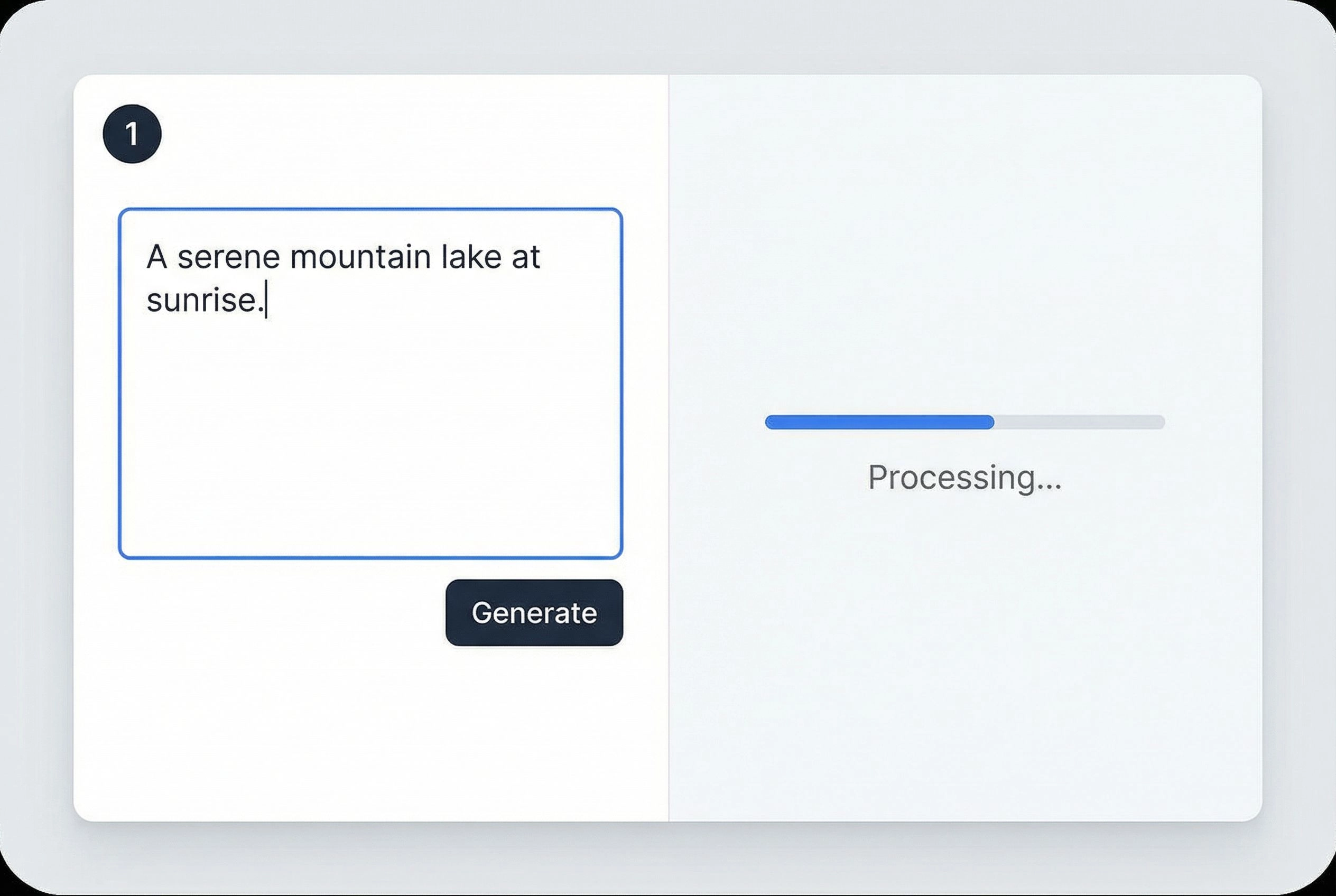
Based on my experience, here's the fastest path to creating your first Hunyuan Image:
Quick Start Method (Recommended for Beginners)
Step 1: Access via Web Platform
-
Sign up for a free account
-
You'll get immediate access to Hunyuan Image 3.0
Step 2: Craft Your First Prompt
-
Start simple: "A serene mountain landscape at sunset"
-
Add details progressively: "A serene mountain landscape at sunset, snow-capped peaks, reflection in a calm lake, pine trees in foreground, golden hour lighting"
-
Be specific about style if needed: "...photorealistic style, 4K quality"
Step 3: Select Parameters
-
Choose aspect ratio (16:9 for landscape, 1:1 for social media)
-
Adjust any style parameters available
-
Click Generate
Step 4: Iterate and Refine
-
Review the result
-
Adjust your prompt based on output
-
Regenerate until satisfied
-
Download your final image
Advanced Setup (Self-Hosting)
For those wanting full control:
Step 1: Prepare Your Environment
# Ensure you have CUDA 12.4+
# Minimum 24GB VRAM GPU

# Install dependencies
pip install torch torchvision
pip install transformers diffusers
Step 2: Download the Model
# Via Hugging Face CLI
hf download tencent/HunyuanImage-3.0 --local-dir ./HunyuanImage-3
Step 3: Set Up Prompt Enhancement (Optional but Recommended)
# Configure DeepSeek for prompt optimization
export DEEPSEEK_KEY_ID="your_key_id"
export DEEPSEEK_KEY_SECRET="your_key_secret"
Step 4: Generate Your First Image
python3 run_image_gen.py \
  --model-id ./HunyuanImage-3 \
  --prompt "Your detailed prompt here" \
  --resolution 2048x2048
Pro Tips from My Testing
-
Prompt Structure That Works Best:
-
Subject → Action → Setting → Style → Lighting → Details
-
Example: "A female scientist (subject) examining a hologram (action) in a futuristic laboratory (setting), cyberpunk aesthetic (style), neon lighting (lighting), detailed equipment visible (details)"
-
-
Leverage Text Rendering:
-
Explicitly state text content: "with the text 'Innovation' in bold letters"
-
Specify font style when important: "in a modern sans-serif font"
-
Indicate text placement: "centered at the top of the image"
-
-
Optimize for Quality:
-
Use descriptive adjectives: "highly detailed," "photorealistic," "8K quality"
-
Specify camera settings for photos: "shot with 85mm lens, f/1.8, bokeh background"
-
Reference artistic styles: "in the style of Studio Ghibli" or "reminiscent of Ansel Adams photography"
-
-
Iterate Efficiently:
-
Start with a base prompt and refine
-
Save successful prompts for future reference
-
Experiment with different aspect ratios for the same concept
-
Frequently Asked Questions (FAQ)
Is Hunyuan Image really free?
Yes, Hunyuan Image is completely free to use if you self-host. The model is open-source under the Tencent Hunyuan Community License. Web platforms like ImageNX.art offer free tiers with daily limits and paid plans for higher volume.
Can I use Hunyuan Image for commercial projects?
Yes, commercial use is explicitly allowed under the license for most applications. The only restriction is for products with over 100 million monthly active users, which require additional licensing from Tencent.
How does Hunyuan Image compare to Midjourney?
From my testing, Hunyuan Image 3.0 matches or exceeds Midjourney v6 in text rendering and prompt understanding, while Midjourney has a slight edge in artistic interpretation and color grading. Hunyuan's open-source nature and free self-hosting option make it more accessible.
What hardware do I need to run Hunyuan Image?
For the quantized FP8 version, you need at least a 24GB VRAM GPU (like NVIDIA RTX 4090). For optimal performance, 8×H100 GPUs are recommended. Alternatively, use web platforms to avoid hardware requirements.
Does Hunyuan Image support languages other than English?
Yes, Hunyuan Image has excellent multilingual support, particularly for Chinese and English. It can accurately render text in both languages and understand prompts written in either language.
How long does it take to generate an image?
Based on my testing, generation times range from 15-45 seconds per image, depending on complexity, resolution, and hardware. This is slower than some competitors but results in higher quality output.
Can I edit images after generation?
Hunyuan Image 3.0 focuses on text-to-image generation. For editing, you would need to use external tools or specify variations in your prompts. Image-to-image capabilities are in development.
Is my data private when using Hunyuan Image?
If you self-host, you have complete control over your data—nothing is sent to external servers. When using web platforms, check their specific privacy policies. ImagenX.art processes images securely and doesn't use them for model training.
What's the difference between Hunyuan Image 2.1 and 3.0?
Version 3.0 is a massive upgrade with 80B parameters (vs 17B), superior prompt understanding, better text rendering, and faster inference through MoE architecture. Version 2.1 is still excellent but 3.0 represents a significant leap forward.
Can I integrate Hunyuan Image into my application?
Yes, you can self-host the model and integrate it into your applications via API. Tencent Cloud also offers official API access. The open-source license permits commercial integration with proper attribution.
Does Hunyuan Image have content filters?
Yes, like all responsible AI image generators, Hunyuan Image includes safety filters to prevent generation of inappropriate content. These align with Tencent's AI ethics guidelines.
How often is Hunyuan Image updated?
Tencent actively develops the Hunyuan series. Major updates have occurred roughly every 6-9 months, with minor improvements and bug fixes released more frequently on GitHub.
Conclusion: Is Hunyuan Image Worth Your Time?
After 60 days of intensive testing, creating hundreds of images across various use cases, and comparing it against every major competitor, my verdict is clear: Hunyuan Image 3.0 is one of the most impressive AI image generators available in 2025, and its open-source nature makes it accessible to everyone.
When Hunyuan Image Excels
You should absolutely use Hunyuan Image if you:
-
Need accurate text rendering in images
-
Want commercial-grade quality without subscription costs
-
Value open-source flexibility and transparency
-
Require multilingual support (especially Chinese/English)
-
Generate high volumes of images regularly
-
Need clear commercial licensing
-
Have the technical capability to self-host OR access via platforms like ImagenX.art
When to Consider Alternatives
You might prefer other tools if you:
-
Need the absolute fastest generation times
-
Want a more polished, beginner-friendly interface
-
Require video generation capabilities
-
Don't have adequate hardware and prefer fully web-based solutions
-
Prioritize artistic interpretation over technical accuracy
My Final Recommendation
Hunyuan Image 3.0 represents a watershed moment in AI image generation. Tencent has proven that open-source models can compete with—and in some cases surpass—closed-source commercial alternatives. The combination of massive scale (80B parameters), exceptional text rendering, multilingual support, and free access makes this a game-changer for creators, businesses, and developers.
If you're serious about AI image generation, you owe it to yourself to try Hunyuan Image. Start with a platform like ImagenX.art to experience it without technical setup, then consider self-hosting if you need unlimited generation at scale.
Ready to Get Started?
The best way to understand what Hunyuan Image can do for you is to try it yourself. Head over to ImagenX.art's Hunyuan Image platform and create your first images today. With the free tier, you can explore all the capabilities I've discussed in this review without any financial commitment.
The future of AI image generation is here, it's powerful, and remarkably, it's open-source. Whether you're a designer looking to streamline your workflow, a marketer needing high-quality visuals, or a developer building the next generation of creative tools, Hunyuan Image 3.0 deserves a place in your toolkit.
Have you tried Hunyuan Image yet? What has your experience been? The AI image generation landscape is evolving rapidly, and tools like this are democratizing access to professional-quality creative technology. The question isn't whether AI will transform creative work—it's already happening. The question is: will you be ready to harness it?